

There’s a moment, usually around the third or fourth prompt, when the initial thrill of an AI video generator starts to curdle into something more complicated. The first output looked surprisingly good. The second one felt like confirmation. But by the fourth attempt — when you’re trying to get something specific — you realize the tool isn’t reading your mind. It’s generating possibilities. And the distance between a possibility and a usable asset is where most beginners quietly lose hours they didn’t plan to spend.
This is the part of AI-assisted visual creation that rarely gets discussed in product announcements or launch threads. Not because it’s hidden, but because it’s boring. It’s the unsexy middle: the evaluation phase, the recalibration, the slow recognition that your judgment matters more than the tool’s capability.
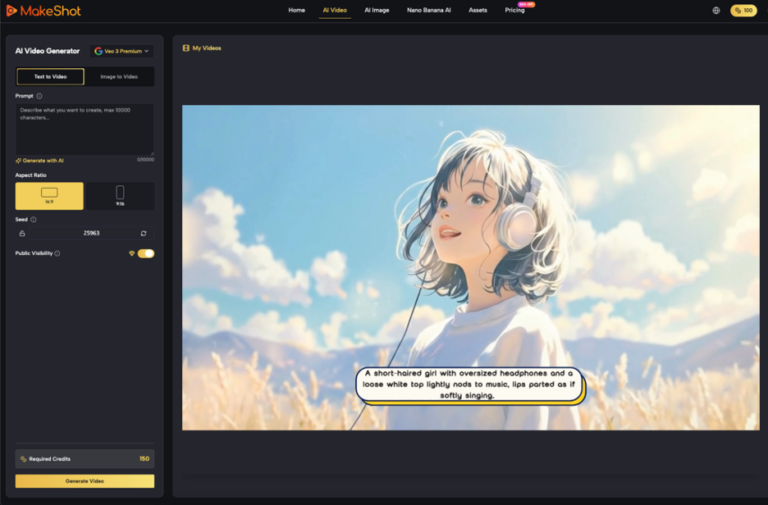
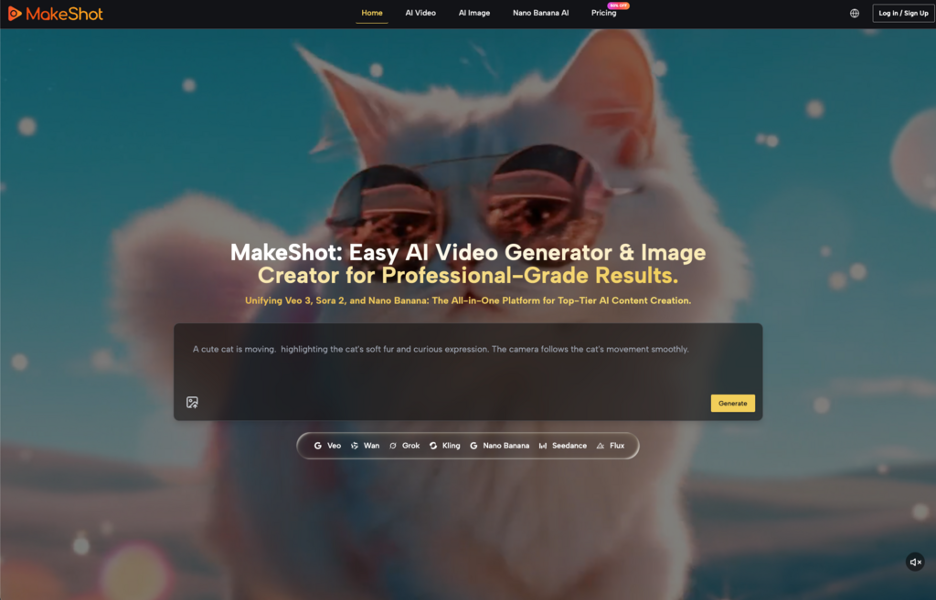
MakeShot — an AI platform that bundles video and image generation through models like Veo 3, Sora 2, and Nano Banana — sits in this exact space. It positions itself as an all-in-one AI studio. That’s a clear pitch. But what matters more than the pitch is what happens after someone actually opens it and starts trying things.
Where Expectations Go Wrong First
Most people arrive at an AI video generator with one of two assumptions, both slightly off.
The first: that the tool will produce something close to finished. A polished social clip, a product video, a visual that slots neatly into a content calendar. This expectation comes from watching curated demos — the best outputs, hand-selected, shown without the fifteen failed attempts that preceded them.
The second assumption is subtler. It’s the belief that prompting is the hard part, and once you learn to write better prompts, the results will reliably improve. In practice, what tends to happen is different. Prompting helps, but the real skill is selection — knowing which output is worth refining and which should be discarded. That’s a taste problem, not a technical one.
For first-time testers especially, this distinction matters. You can spend an afternoon generating dozens of video clips and feel productive the entire time, only to realize that none of them quite work for the thing you actually needed. The volume feels like progress. It often isn’t.
What an All-in-One Platform Implies — and What It Doesn’t
MakeShot describes itself as an all-in-one AI studio for video and image creation. That framing suggests consolidation: instead of jumping between separate tools for different generation models, you access multiple engines from a single interface.
On paper, this is appealing. Fewer tabs, fewer accounts, fewer context switches. For someone testing AI-generated visuals for the first time, having Veo 3, Sora 2, and Nano Banana available in one place removes the friction of hunting down each model separately.
But here’s what can’t be concluded from that description alone: how well those models are integrated, what controls exist around each one, how outputs differ between them in practice, or whether the platform adds meaningful curation or editing layers on top of raw generation. These are the questions that only sustained use can answer, and they’re the questions that matter most for anyone trying to decide whether a tool fits a real workflow — not just a curiosity session.
I’d caution against assuming that access to multiple models automatically means better results. Sometimes it means more options to sort through, which is a different kind of cost.
The Judgment Layer That Tools Can’t Replace
Here’s something people often notice after a few tries with any AI video generator: the generation itself gets easier, but the decision-making around it doesn’t.
Which clip has the right pacing? Which image actually communicates the idea you had in your head versus the one the model interpreted? When should you re-prompt versus adjust your expectations? These are editorial decisions, and no platform — MakeShot or otherwise — makes them for you.
This is where the experience gap shows up most clearly between someone who’s been working with visual content for years and someone just starting out. The experienced person isn’t necessarily writing better prompts. They’re faster at rejecting bad outputs. They know what “close enough” looks like. They waste less time chasing perfection on a draft that was never going to work.
For solo creators or small business owners testing AI-generated video for the first time, this is worth sitting with. The tool accelerates production. It does not accelerate judgment. And judgment is what turns a generated clip into something you’d actually publish.
A Realistic Week with a New AI Video Tool
If you’re evaluating something like MakeShot — or any platform in this category — here’s a more honest picture of what the first week usually looks like.
Day one feels fast. You type a prompt, something appears, and the sheer novelty of it carries momentum. You generate five or six things. Maybe you share one.
Day three, the prompts get more specific. You’re trying to match a visual style, or get a particular kind of motion, or produce something that fits a brand tone. The gap between what you imagined and what appeared starts to feel wider. This is normal. It’s also where most casual users stop.
Day five or six, if you’re still going, something shifts. You start treating the tool less like a magic box and more like a drafting partner — one that’s fast but unreliable in specific ways you’re beginning to map. You develop small habits: certain prompt structures that tend to work better, a quicker eye for which outputs to discard immediately.
The part that usually takes longer than expected isn’t learning the interface. It’s learning your own tolerance for imperfection and revision.
What Makes a Tool Worth Returning To
The decision about whether an AI video generator earns a place in your workflow is less about the tool itself and more about the gap it fills.
If your current process for creating short video content involves hours of manual editing, stock footage hunting, or outsourcing to freelancers with long turnaround times — then even imperfect AI generation might save meaningful time. Not because the output is flawless, but because it compresses the ideation phase. You get to see a rough version of your idea in minutes instead of days. That’s genuinely useful, even when the rough version needs significant adjustment or serves only as a reference point.
If, on the other hand, you already have a fast visual workflow and your bottleneck is strategic — figuring out what to create, not how to create it — then an AI video generator may add novelty without solving the actual constraint.
MakeShot’s positioning as a multi-model platform suggests it’s aiming at people who want to experiment across different generation engines without committing to one. That’s a reasonable value proposition for the testing phase. Whether it holds up in sustained, repeated use depends on factors — output quality consistency, editing flexibility, export options — that the current product description doesn’t address, and that I won’t speculate about here.
The Honest Evaluation Criteria
When I think about what separates a useful AI visual tool from a forgettable one, the criteria aren’t dramatic. They’re mundane.
- How often do you return to it after the first session? Not because it’s exciting, but because it solved a problem.
- How quickly can you get from prompt to usable output? Not just any output — one that actually fits the context you need it for.
- How much revision work does it create downstream? A tool that generates fast but requires heavy post-editing may not save as much time as it first appears to.
These are the questions worth asking after a week of use, not after a first impression. The first impression can be misleading when the novelty of generation itself — the simple fact that something appeared — temporarily masks whether that something is useful.
For anyone considering MakeShot or a similar platform, the most productive approach is probably the least exciting one: try it with a specific, small, real task. Not a test prompt. Not “let’s see what it can do.” An actual piece of content you need. Then notice what happens. Notice where it helped, where it didn’t, and — most importantly — whether you’d do it again tomorrow.
That’s the test. Not whether the technology impresses you, but whether the workflow sticks.

0 Comments