

The prevailing myth of generative AI in creative production is the “one-shot” miracle. In this idealized scenario, a marketer or designer types a complex string of tokens into a box, hits enter, and receives a pixel-perfect, brand-compliant asset ready for the 10:00 AM campaign launch. It is a compelling narrative, but anyone who has managed a high-volume content pipeline knows it is rarely the reality.
What actually happens is the “re-prompting loop.” A creator generates an image that is 90% perfect, but the subject’s hand is fused to a coffee cup, or the background contains a nonsensical architectural artifact. Instead of fixing the specific flaw, the instinct is often to “pull the lever” again—adjusting the prompt and rolling for a new seed. This is the generative equivalent of a slot machine. It’s a resource drain that burns compute, exhausts creative energy, and introduces unnecessary variance into a brand’s visual identity.
To move from novelty to professional publishing, the mindset must shift. The efficiency of AI does not live in the prompt; it lives in the “middle mile” of production. This is where a dedicated AI Photo Editor becomes the essential bridge between raw generative output and a finished, professional asset.
The High Cost of the Generative Re-Roll
In a production environment, time is the primary currency. When a content team relies solely on text-to-image generation, they are at the mercy of stochastic probability. You might get the perfect lighting on the first try, or you might spend forty-five minutes trying to “prompt away” a distracting element in the corner of the frame.
This “Slot Machine” effect is particularly damaging for brand integrity. Every time you re-generate an entire image to fix a minor detail, you lose the specific composition, lighting, and “vibe” that worked in the previous version. You are essentially throwing away a nearly-finished product to start from scratch because of a single blemish.
A professional workflow treats the initial AI generation not as a final product, but as a malleable canvas. By shifting the focus to an AI Photo Editor, teams can isolate problems. If the character’s expression is wrong but the environment is perfect, you don’t re-prompt the whole scene; you edit the face. If the product placement is slightly off-kilter, you use an object eraser or a move tool. This transition from “AI as artist” to “AI as assistant” is what separates hobbyist experimentation from scalable creative operations.

Solving the Middle-Mile Content Bottleneck
The bottleneck in most AI workflows isn’t a lack of ideas—it’s the inability to execute granular corrections. High-stakes publishing requires a level of control that global prompts simply cannot provide.
Take background removal and object erasing as primary examples. A prompt might describe a “clean, minimalist office,” but the AI might still populate the desk with cluttered, unidentifiable objects. Using a targeted AI Photo Editor allows a creator to strip away those distractions in seconds. Rather than fighting the model’s desire to add “visual interest,” the editor manually enforces the brand’s minimalist standards.
Another critical “middle-mile” challenge is consistency. If you are creating a series of images for a social media campaign, you need the protagonist to look like the same person across five different posts. Modern generative tools are notorious for “character drift.” Here, features like face-swapping or localized image-to-image refining are far more effective than trying to describe a person’s features in a 500-word prompt.
Furthermore, we must address the resolution gap. Most generative models output images optimized for quick previewing, not high-resolution editorial standards or large-format print. A raw output might look great on a smartphone screen but fall apart on a 27-inch monitor. Integrated upscaling within an AI Photo Editor is a non-negotiable step for turning a “cool AI pic” into a “professional asset.” It’s the difference between a blurry social post and a crisp, high-fidelity hero image.
Integrating Multi-Model Workflows for Visual Cohesion
One of the most significant shifts in the current landscape is the move toward multi-model ecosystems. No single AI model is the best at everything. One model might excel at hyper-realistic skin textures, while another—like Flux—might handle complex text-within-images far better than its predecessors.
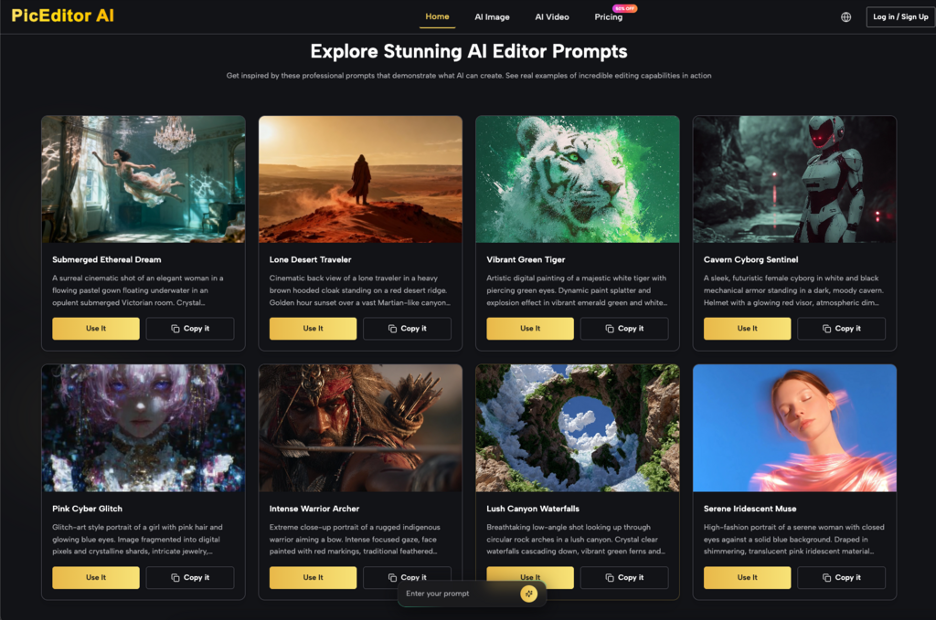
Working across multiple tabs and platforms, however, creates “tab fatigue” and breaks the creative flow. This is where centralized platforms like PicEditor AI offer a distinct operational advantage. By housing models like Nano Banana, Seedream, and Flux within a single interface, a creator can run comparative tests. You can generate a base layer with one model, then use an AI Photo Editor to refine it using the strengths of another.
For instance, you might find that a Seedream-generated landscape has a specific ethereal quality you want, but the central subject needs the structural grounding that a Google-based model provides. The ability to pull these outputs into a single editing suite allows for a “best-of-breed” approach to asset creation. It moves the process away from being a slave to one model’s quirks and toward a structured, multi-layered assembly of the best possible visual elements.
From Static Polish to Dynamic Assets
The role of the editor doesn’t end with a static image. As marketers increasingly demand video content, the workflow for “Image-to-Video” has become more reliable and cost-effective than “Text-to-Video.”
Generating a video from a text prompt is often a recipe for chaos. The AI has to invent the subject, the motion, and the lighting all at once, leading to frequent “hallucinations” where limbs disappear or backgrounds melt. A much more stable path is to perfect a source image first using an AI Photo Editor. When you start with a high-quality, edited, and upscaled image, the video model (such as Kling or Veo) has a clear “ground truth” to work from.
By perfecting the lighting and texture in the static phase, the resulting 5-second loop or cinematic pan is significantly more predictable. This “static-first” approach ensures that the visual fidelity of the video matches the brand’s high-resolution photography. It allows for a level of continuity that is currently impossible to achieve through direct text-to-video generation, where every new frame is a gamble.
Critical Limitations and the Unpredictable Element
While the efficiency gains of a Photo Editor AI are undeniable, we must maintain a level of skepticism regarding full automation. AI tools are currently excellent at “interpolation”—filling in the gaps—but they still struggle significantly with “spatial logic” and complex physics.
For example, if you ask an AI to edit an image where a person is holding a transparent glass of water, the way light refracts through the water and casts shadows on the hand is often fundamentally broken. These complex layered interactions remain a major hurdle. Creators should not expect an AI Photo Editor to solve every physical inconsistency automatically; often, it requires a human eye to recognize when a shadow is falling in the wrong direction or when a reflection doesn’t match the source object.
There is also the “Uncanny Valley” threshold. While we can now generate highly realistic human faces, we cannot yet safely conclude that they carry the same emotional resonance as a photographed human. Content teams must be cautious; an image that looks technically “perfect” can still feel “off” to an audience on a subconscious level.
Finally, human curation remains the only reliable filter for cultural nuance and brand safety. An AI Photo Editor can remove a blemish or change a background, but it doesn’t understand the cultural weight of a specific symbol or the subtle irony of a visual composition. Until “reasoning” models become much more visually integrated, the editor’s most important tool is not a slider or a prompt, but their own judgment. The tool speeds up the execution, but the human defines the “done” state. AI is a powerful engine, but without a skilled driver at the editing console, it’s just a very fast way to head in the wrong direction.

0 Comments